Technical
Introducing the Contracting Office Intelligence Map — Know Exactly Where to Focus Your BD Efforts
If you've ever spent hours on USAspending.gov trying to figure out which contracting offices actually buy what you sell — and whether they're open to working with a new small business — we just solved that problem.
Today we're launching the Contracting Office Intelligence Map, available to all FedProposal subscribers. It's an interactive US map that shows you every federal contracting office spending in your NAICS codes, scored and ranked by how well they fit your company.
If you've ever spent hours on USAspending.gov trying to figure out which contracting offices actually buy what you sell — and whether they're open to working with a new small business — we just solved that problem.
Today we're launching the Contracting Office Intelligence Map, available to all FedProposal subscribers. It's an interactive US map that shows you every federal contracting office spending in your NAICS codes, scored and ranked by how well they fit your company.

The Problem Every Small Business Faces
You know your NAICS codes. You know your certifications. But the federal government has thousands of contracting offices, and they all buy differently. Some offices actively rotate vendors and love working with small businesses. Others are locked in with the same three primes and rarely award to new entrants.
Until now, figuring out which offices were worth your time meant downloading spreadsheets from USAspending, running pivot tables, and doing hours of manual analysis — if you even knew where to start. Our Expiring Contracts Dashboard already helps you find contracts ending soon, but you still had to guess which offices were worth pursuing.
What the Intelligence Map Does
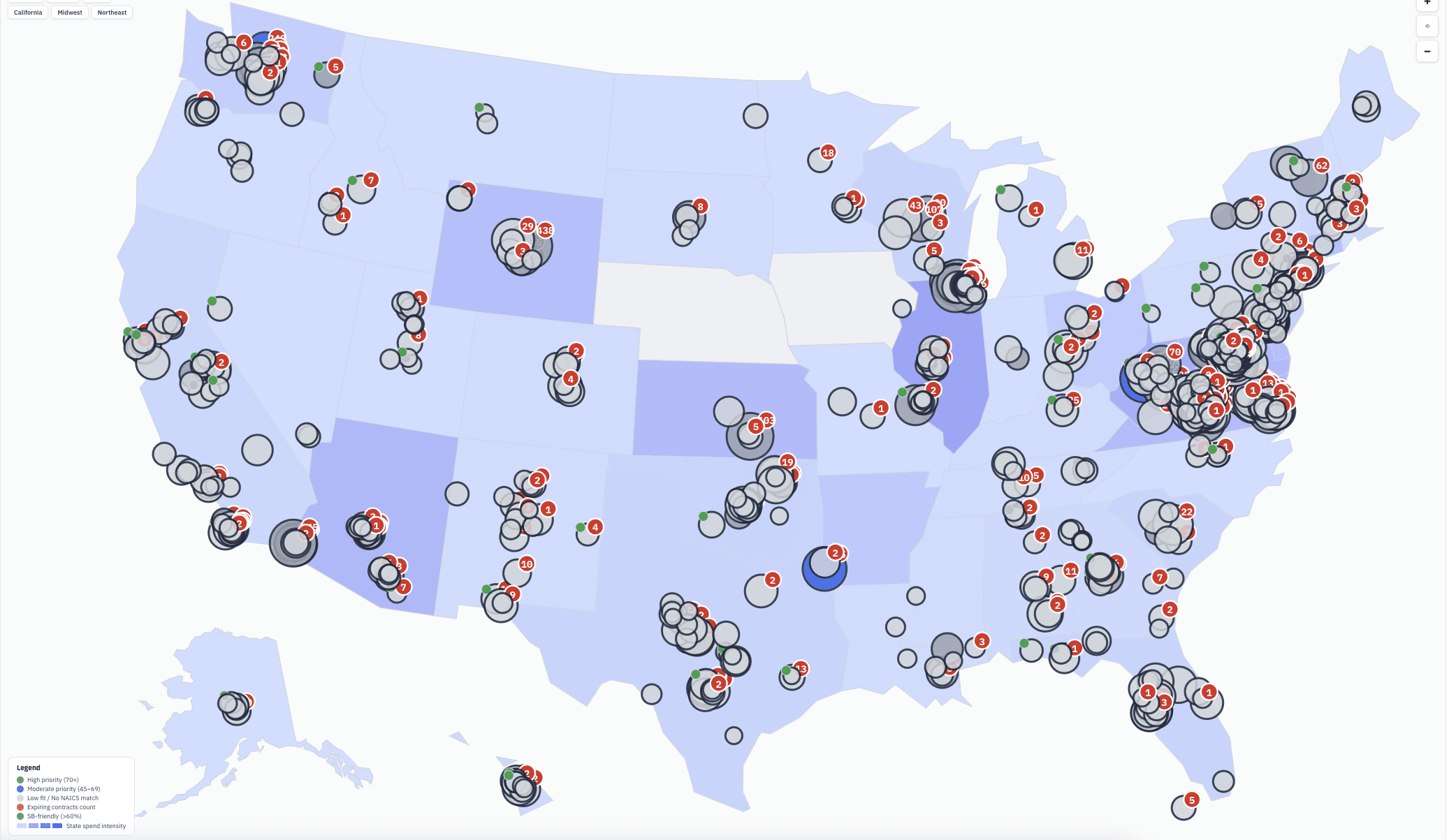
When you open the Intelligence Map, you enter your NAICS codes, PSC codes, and certifications (8(a), SDVOSB, WOSB, HUBZone, and more). The map immediately highlights every office that matches, with spending bubbles sized by dollar volume and color-coded by priority score.
Click any office and you get a detailed buying profile:
Priority Score — Our algorithm combines vendor concentration, small business percentage, expiring contracts in your codes, spending trends, and vendor rotation patterns into a single score. Higher means better fit for your company. Focus on the green offices first.
Herfindahl-Hirschman Index (HHI) — This is a measure of vendor concentration. It tells you whether an office spreads work across many vendors or concentrates it among a few. An HHI under 300 means they rotate vendors freely — ideal for new entrants. Over 500 means a few incumbents dominate, and you may want to team with one of them first. We calculate HHI from real spending data for every office in the system.
Spending Trends & Seasonality — Five years of spending data in a trend line, plus monthly seasonality charts showing exactly when each office awards the most contracts. The federal fiscal year ends September 30, and most offices push hard in August and September — but not all of them. Some peak in May or June. Now you'll know when to time your capability briefings.
Set-Aside Breakdowns — See the exact dollar amounts each office awards to SDVOSB, 8(a), WOSB, HUBZone, and full-and-open competitions. If you hold any of these certifications, you can instantly find offices that actively use your set-aside category. Check the SBA Small Business Scorecards to see how each agency performs against its small business goals.
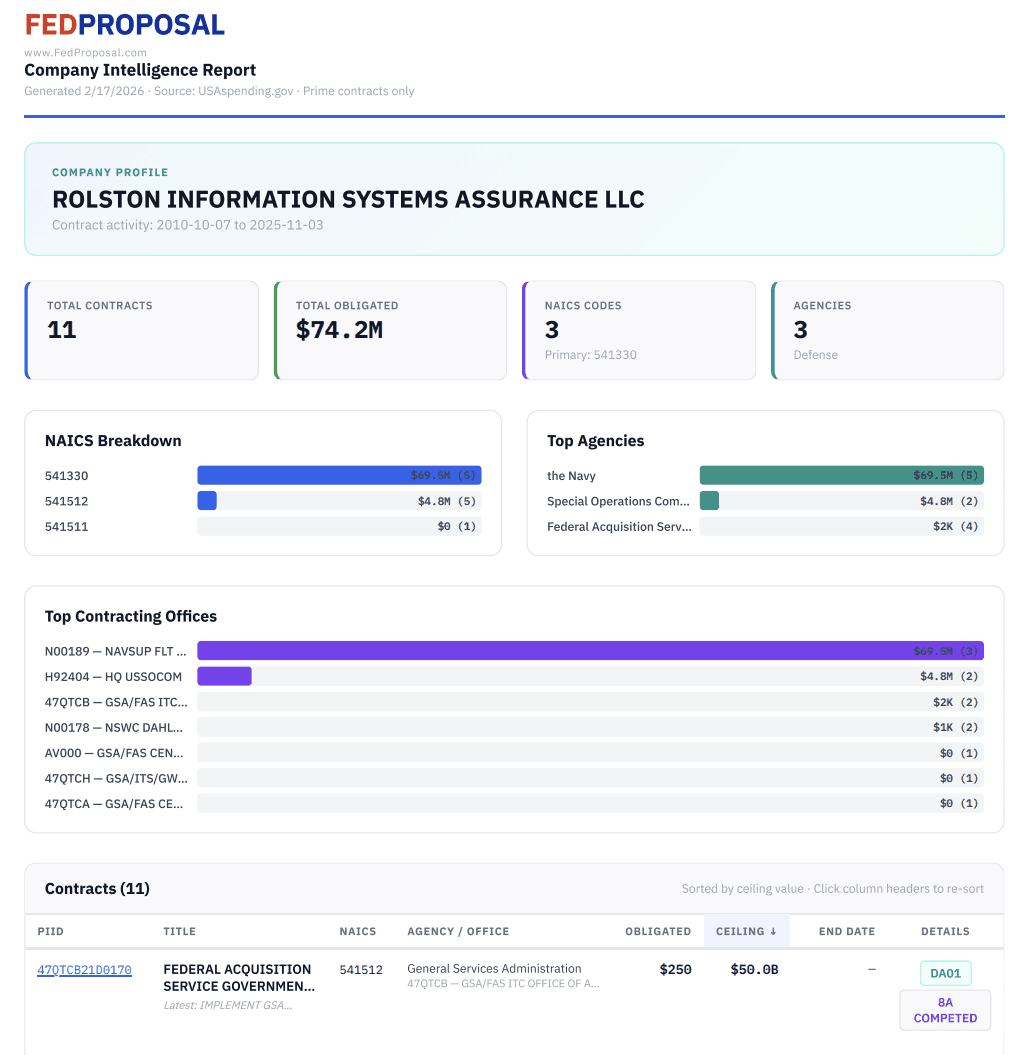
Top Vendors with Market Share — Know who your competition is at each office, whether they're small or large business, their number of awards, and average contract value. For deeper competitor research on any specific contract, use the Research Tab to see IDIQ vehicle holders and company profiles.
Live SAM.gov Search — Without leaving FedProposal, search active SAM.gov opportunities at any contracting office. Found something? Click "Add to Pipeline" and it's tracked in your Opportunity Pipeline.
Expiring Contracts by Office — See which contracts in your NAICS codes are ending soon at each office. These are your immediate pursuit targets — the government will need to recompete this work. You can also find these on the Expiring Contracts Dashboard and filter by agency.
From Discovery to Pursuit
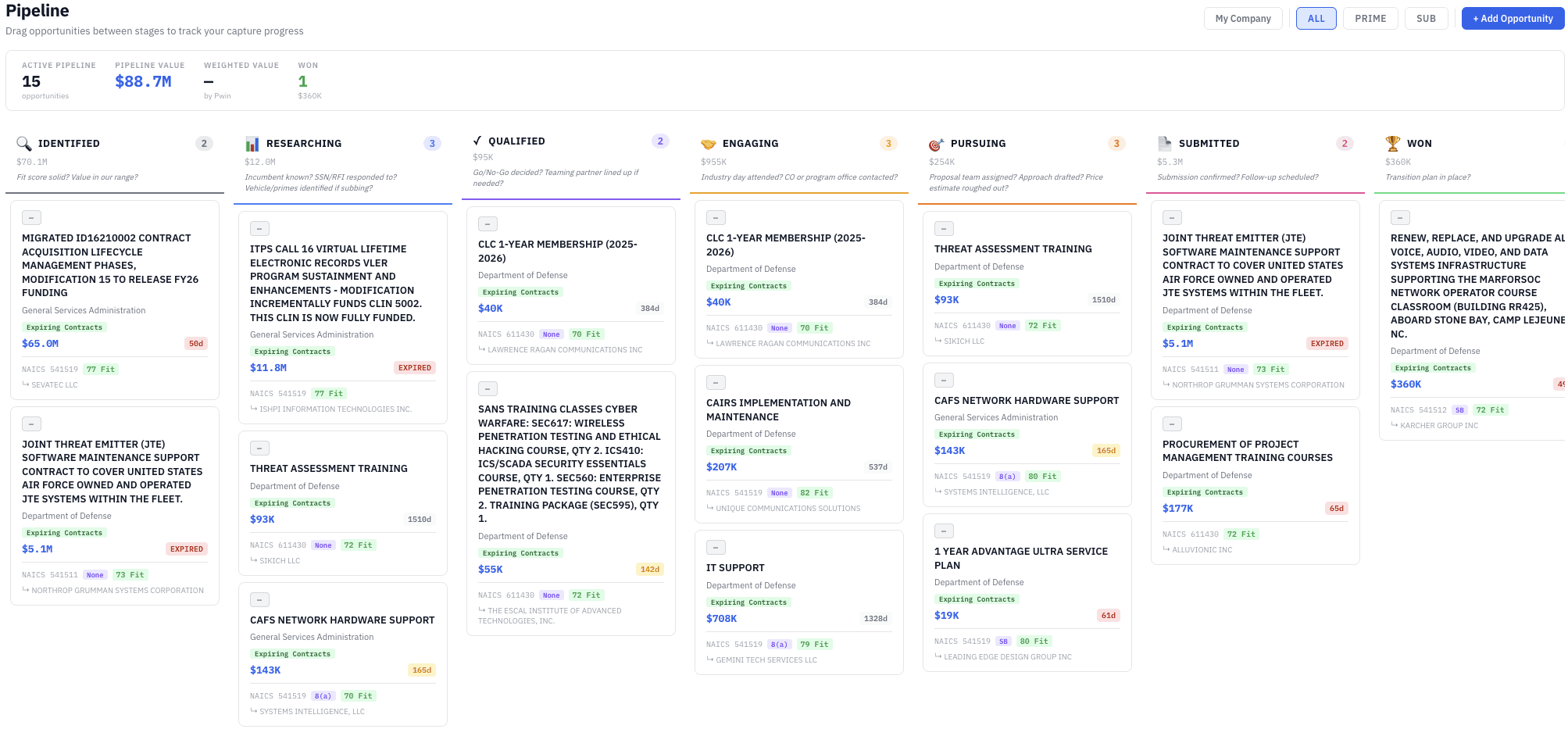
The Intelligence Map doesn't just help you find opportunities — it connects directly to your Opportunity Pipeline. When you find an expiring contract or a SAM.gov opportunity at an office that matches your company, one click adds it to your pipeline with the agency, NAICS, Fit Score, and contract details pre-filled. From there, the AI Capture Assistant helps you move through the pursuit stages with GovCon-specific guidance.
Already tracking contracts through your SAM Daily Email Alerts? Those opportunities can be added to the pipeline too — directly from the email.
This is the full cycle: discover where the money is, understand who's buying, find the specific opportunities, and track your pursuit — all without leaving FedProposal.
Built From Real Data
We analyzed over 44 million contract awards from USAspending to build this. Every metric — HHI, small business percentage, spending trends, seasonality, vendor rotation — is computed from real federal spending data, not estimates or projections.
The data is updated monthly so your intelligence stays current. See all the features we offer on the Products page.
How to Use It
Log in to your FedProposal dashboard
Navigate to the Intelligence tab
Enter your NAICS codes and PSC codes (not sure of yours? Use our NAICS finder or PSC finder)
Select your certifications
Click any office bubble on the map to see the full buying profile
Start with the High Priority filter to see only the offices where you have the best chance of winning work. Then drill into the ones that interest you, check expiring contracts, and search live SAM.gov opportunities — all from the same page.
Try It Free
The Intelligence Map is included for all subscribers at $149/month — or as low as $107.50/month on an annual plan.
Not a subscriber yet? Start your 7-day free trial — no credit card required.
FedProposal is federal contract intelligence designed for small business. We automate the research that BD professionals spend hours doing manually — finding expiring contracts, analyzing incumbents, scoring agency fit, mapping contracting office intelligence, and managing your pursuit pipeline — so you can focus on winning work.
See all features → · View pricing → · Government contracting resources →
The Problem Every Small Business Faces
You know your NAICS codes. You know your certifications. But the federal government has thousands of contracting offices, and they all buy differently. Some offices actively rotate vendors and love working with small businesses. Others are locked in with the same three primes and rarely award to new entrants.
Until now, figuring out which offices were worth your time meant downloading spreadsheets from USAspending, running pivot tables, and doing hours of manual analysis — if you even knew where to start. Our Expiring Contracts Dashboard already helps you find contracts ending soon, but you still had to guess which offices were worth pursuing.
What the Intelligence Map Does
When you open the Intelligence Map, you enter your NAICS codes, PSC codes, and certifications (8(a), SDVOSB, WOSB, HUBZone, and more). The map immediately highlights every office that matches, with spending bubbles sized by dollar volume and color-coded by priority score.
Click any office and you get a detailed buying profile:
Priority Score — Our algorithm combines vendor concentration, small business percentage, expiring contracts in your codes, spending trends, and vendor rotation patterns into a single score. Higher means better fit for your company. Focus on the green offices first.
Herfindahl-Hirschman Index (HHI) — This is a measure of vendor concentration. It tells you whether an office spreads work across many vendors or concentrates it among a few. An HHI under 300 means they rotate vendors freely — ideal for new entrants. Over 500 means a few incumbents dominate, and you may want to team with one of them first. We calculate HHI from real spending data for every office in the system.
Spending Trends & Seasonality — Five years of spending data in a trend line, plus monthly seasonality charts showing exactly when each office awards the most contracts. The federal fiscal year ends September 30, and most offices push hard in August and September — but not all of them. Some peak in May or June. Now you'll know when to time your capability briefings.
Set-Aside Breakdowns — See the exact dollar amounts each office awards to SDVOSB, 8(a), WOSB, HUBZone, and full-and-open competitions. If you hold any of these certifications, you can instantly find offices that actively use your set-aside category. Check the SBA Small Business Scorecards to see how each agency performs against its small business goals.
Top Vendors with Market Share — Know who your competition is at each office, whether they're small or large business, their number of awards, and average contract value. For deeper competitor research on any specific contract, use the Research Tab to see IDIQ vehicle holders and company profiles.
Live SAM.gov Search — Without leaving FedProposal, search active SAM.gov opportunities at any contracting office. Found something? Click "Add to Pipeline" and it's tracked in your Opportunity Pipeline.
Expiring Contracts by Office — See which contracts in your NAICS codes are ending soon at each office. These are your immediate pursuit targets — the government will need to recompete this work. You can also find these on the Expiring Contracts Dashboard and filter by agency.
From Discovery to Pursuit
The Intelligence Map doesn't just help you find opportunities — it connects directly to your Opportunity Pipeline. When you find an expiring contract or a SAM.gov opportunity at an office that matches your company, one click adds it to your pipeline with the agency, NAICS, Fit Score, and contract details pre-filled. From there, the AI Capture Assistant helps you move through the pursuit stages with GovCon-specific guidance.
Already tracking contracts through your SAM Daily Email Alerts? Those opportunities can be added to the pipeline too — directly from the email.
This is the full cycle: discover where the money is, understand who's buying, find the specific opportunities, and track your pursuit — all without leaving FedProposal.
Built From Real Data
We analyzed over 44 million contract awards from USAspending to build this. Every metric — HHI, small business percentage, spending trends, seasonality, vendor rotation — is computed from real federal spending data, not estimates or projections.
The data is updated monthly so your intelligence stays current. See all the features we offer on the Products page.
How to Use It
Log in to your FedProposal dashboard
Navigate to the Intelligence tab
Enter your NAICS codes and PSC codes (not sure of yours? Use our NAICS finder or PSC finder)
Select your certifications
Click any office bubble on the map to see the full buying profile
Start with the High Priority filter to see only the offices where you have the best chance of winning work. Then drill into the ones that interest you, check expiring contracts, and search live SAM.gov opportunities — all from the same page.
Try It Free
The Intelligence Map is included for all subscribers at $149/month — or as low as $107.50/month on an annual plan.
Not a subscriber yet? Start your 7-day free trial — no credit card required.
FedProposal is federal contract intelligence designed for small business. We automate the research that BD professionals spend hours doing manually — finding expiring contracts, analyzing incumbents, scoring agency fit, mapping contracting office intelligence, and managing your pursuit pipeline — so you can focus on winning work.
See all features → · View pricing → · Government contracting resources →